Explainer
Voice journaling: how to journal by talking
How to start, what to say each day, and how to turn what you say into a daily log.
By the One Logger team at Everyday Frames
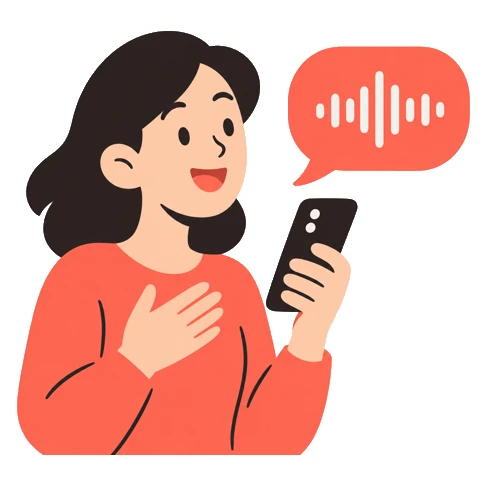
Voice journaling means keeping a journal by talking instead of writing. You speak for a few minutes about your day, then keep it as a recording, as text, or as short entries in a daily log. It’s worth a try if you think faster than you type, or if a blank page puts you off.
What voice journaling is
The University of Rochester Medical Center describes journaling as writing down your thoughts and feelings to understand them more clearly. Voice journaling is the same idea, out loud: on a quiet walk, while the kettle boils, or before bed.
The same page says journaling can help you manage anxiety, reduce stress and cope with depression. It can help you prioritise problems, fears and concerns, and track symptoms from day to day. The page is about writing, not talking, but most of its tips work out loud too.
Journaling doesn’t replace care, though. A review in Advances in Psychiatric Treatment says expressive writing should not replace medical or psychological treatment for people who need it.
Three kinds: an audio diary, a voice-to-text journal, a voice log
People mean three different things by voice journaling. What changes is what you keep.
| Kind | What you keep | Good for | Watch out for |
|---|---|---|---|
| Audio diary | The recording | Hearing your voice and tone later | Slow to look back through |
| Voice-to-text journal | Your words as text | Rereading, searching and copying | Misheard words to fix |
| Voice log | Short entries about what you did, ate, spent and felt | Seeing patterns over weeks | Little room for long thoughts |
An audio diary
To audio journal on iPhone, use Voice Memos as a simple voice diary app: tap the Record button, talk, then tap the Stop button (Apple Support). On iPhone 12 or later, in supported languages and regions, Voice Memos can show a transcription as you speak. You can then search your recordings by the words in them (Apple Support). Apple’s Journal app can also record audio in an entry and add the transcript to it, but it transcribes English only, and not in every English-speaking region.
A voice-to-text journal
Here you keep the words, not the sound, and you don’t need a special voice-to-text journal app. Open a note in Notes, tap the Dictate button on the keyboard and talk. Apple says Dictation adds commas, full stops and question marks in supported languages. Say “new paragraph” to start one. Dictation stops by itself after 30 seconds of silence (Apple Support). On iPhone 12 or later, in supported languages, you can also record audio in Notes and add the transcript to the note, so you keep both (Apple Support).
A voice log
A voice log is the shortest kind. Each entry is a sentence about what you did, ate, spent or felt, saved with its date and time. It won’t hold long thoughts, but after a few weeks you can look back and see what repeats. For ideas, see what to track daily.
How to voice journal: start in three steps
- Pick a time and a place. The medical centre suggests setting aside a few minutes every day, which helps you keep it up. Tie it to something you already do, like a cup of tea after dinner. The review above suggests a private place, free from distractions. When you talk, that means somewhere no one can overhear you.
- Choose one kind and make it easy. Decide whether you’ll keep a recording, text or a log, and put that app on your Home Screen.
- Talk for two minutes, then stop. Answer one prompt from the list below, and don’t worry about pauses or mistakes. The medical centre tells writers not to worry about spelling or what other people might think. Your journal is yours: you don’t have to share it.
Once a week, listen back or reread what you said, and look for what repeats.
What to say: prompts for a daily entry
Pick one or two.
- What happened today, in three sentences?
- How do I feel right now, and why?
- What went well today?
- What was hard, and what helped?
- What am I grateful for?
- What’s on my mind for tomorrow?
- What did I learn today?
- What do I want to remember about today?
On a busy day, a one-minute version is enough: what happened, how you feel, and one thing for tomorrow. For prompts about mood alone, each answered in one line, see mood journal prompts.
On a hard day, be gentle with yourself. The review reports that writing about stressful events usually brings a short-term rise in distress and low mood, which doesn’t appear to cause lasting harm. It also says people should know they can stop at any time. If worry or low mood doesn’t lift, talk to a doctor. If you’re in crisis in the US, call or text 988 to reach the 988 Suicide & Crisis Lifeline, which is free, confidential and open 24/7. If a life is in danger, call your local emergency number.
Voice journaling or writing: which suits you?
Neither is better for everyone. Choose by what fits your day.
| Speaking | Writing or typing | |
|---|---|---|
| Speed | Quick, with no keyboard | Slower, which gives you time to choose your words |
| Hands | Free once you start | Busy |
| Where | Somewhere you won’t be overheard | Anywhere, even on a busy train |
| Looking back | Slow, unless you keep a transcript | Easy to skim and search |
If you’ve tried a paper journal and stopped, try talking for a week. If you like to reread and edit, a voice-to-text journal gives you both: you speak, and you keep text.
Turn what you say into a daily log
A daily log asks simpler questions than a journal: what did I do, eat, spend and feel? Keep each line short, and say the time if it wasn’t just now. For a mood score that fits in one line, see how to track your mood.
One Logger is an app for iPhone (iOS 26 or later) that keeps this log as you talk. Tap the mic and speak, or type the same sentence.
- Say “dear diary, long day at work, but the evening walk helped”. “Dear diary” marks it as a journal entry. What you say after it is kept word for word on One Logger’s Notes screen, which you can search. If you type, “journal:” works too.
- Say “note: paint the hallway green” to keep a quick note.
- Say “drank 2 glasses of water and spent 12 on lunch”. That’s two entries, each in its own place: Water, and lunch under Spending. Each tracker has charts by week, month and year.
- Ask “What did I log this week?” for a summary: one line for each kind of thing you logged, with totals.
Anything that fits nowhere is saved to Others, word for word. A card shows what was saved, with Undo, and Edit when it saved one entry, so you can fix a misheard word. Say “remind me to journal every day at 9 pm” for a daily reminder, and tap the date at the top to look back at any day.
One Logger is made for short entries. Listening stops when you pause, so it suits a few sentences at a time, not a ten-minute talk; use Voice Memos or the Notes app for that.
One Logger is free for up to 10 entries a day. One Logger Pro adds unlimited entries, CSV export and import, and Google Sheets export. It costs $19.99 a year with a 7-day free trial, $3.99 a week, or $29.99 once for lifetime (US App Store prices). The app is in six languages: English, Spanish, French, German, Japanese and Portuguese.
Where your words go: privacy
A journal can hold things you’d tell no one else, so check where yours is stored before you start.
- Recordings and entries can sync. If Voice Memos is on in iCloud settings, your recordings stay up to date on your iPhone, iPad and Mac. That works where you’re signed in with the same Apple Account (Apple Support). Journal entries sync the same way when Journal is on in iCloud settings (Apple Support).
- Dictation is processed on your iPhone in many languages, Apple says, with no internet connection needed (Apple Support).
- Lock what you can. You can lock a note with your passcode or a separate password, but not a note with an audio recording in it. You can lock the Journal app with Face ID, Touch ID or your passcode.
- One Logger keeps text, not recordings. It turns your speech into text on your iPhone and doesn’t keep the audio. There’s no account, and nothing you log is uploaded unless you export it, as a CSV file or to your own Google Sheet. The app sends anonymous usage counts, never what your entries say, and you can turn them off in the app’s Settings. More on privacy in One Logger.
Steps for Voice Memos, Notes, Dictation and Journal were checked against Apple’s iPhone User Guide for iOS 27 on 24 November 2026.
FAQ
Questions, answered.
More answers are on the One Logger support page, or write to hello@everydayframes.com.

What is voice journaling?
Voice journaling is keeping a journal by speaking instead of writing. You talk for a few minutes about your day and keep it as an audio recording, as text, or as short entries in a daily log.
Is voice journaling as good as writing?
Neither is better for everyone. Speaking is quick and needs no keyboard, while writing is easier to reread, search and edit. Pick the one you’ll keep doing, or talk on busy days and write on slow ones.
What should I say in a voice journal?
Say what happened today, how you feel and why, one thing that went well and one thing for tomorrow. On a busy day, one of those is enough.
Can I voice journal on iPhone?
Yes. Record in Voice Memos, or tap the Dictate button on the keyboard and speak into a note. A voice journaling app such as One Logger keeps short spoken sentences as text: journal entries and a daily log.
Is voice journaling private?
It depends on where your words are stored. On iPhone, Dictation is processed on the device in many languages, and you can lock the Journal app with Face ID, Touch ID or your passcode. Voice Memos recordings sync to your other devices when Voice Memos is on in iCloud settings.
Sources
- Journaling for Emotional Wellness (University of Rochester Medical Center)
- Emotional and physical health benefits of expressive writing (Advances in Psychiatric Treatment, 2005)
- Make a recording in Voice Memos on iPhone (Apple Support)
- View a Voice Memos transcription on iPhone (Apple Support)
- Add formatting, photos, and more in Journal on iPhone (Apple Support)
- Dictate text on iPhone (Apple Support)
- Record and transcribe audio in Notes on iPhone (Apple Support)
- Keep recordings up to date in Voice Memos on iPhone (Apple Support)
- Lock your notes on iPhone (Apple Support)
- Protect your journal entries on iPhone (Apple Support)
- 988 Suicide & Crisis Lifeline
More guides
All guides
Guide
How to track your mood: one line a day
A 1 to 5 score, a feeling word and a reason, then patterns with sleep, food and exercise.
Checklist
Mood journal prompts for busy days (one line is enough)
A score, a word and one line: prompts for busy, good and hard days, and a weekly look back.

Checklist
What to track daily: ideas for a simple daily log
Ideas for health, money, mood and habits, and how to choose just a few to start.